AR in Public Transport
Introduction
In the future, where all interactions happen on AR devices, the common folks of Bloomington use the city transit app to book a pod that catches up with the bus and allows them to travel within the city. Here, we are trying to show a scenario where a student is using an AR device for his personal use and decides to start his journey to his class.
The Concept
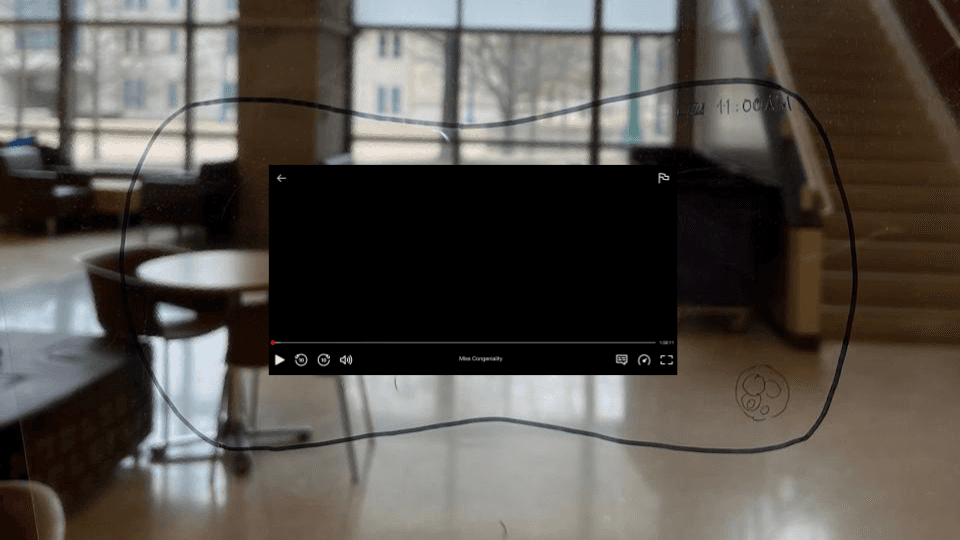
The user watches something on a streaming platform when he remembers that he must leave soon for his class.
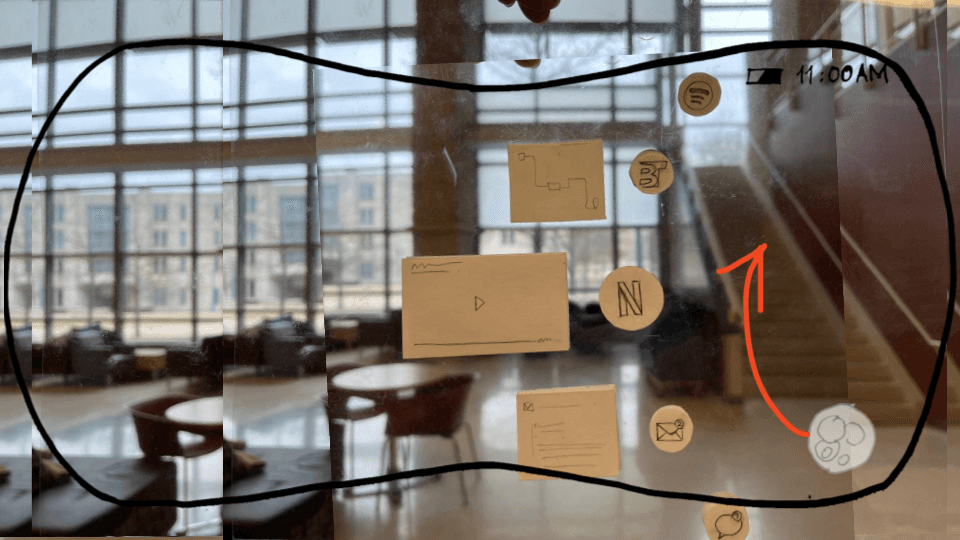
The user swipes up using their finger from the right-hand side corner to open his app dock to switch from the streaming platform to the Bloomington Transit App.
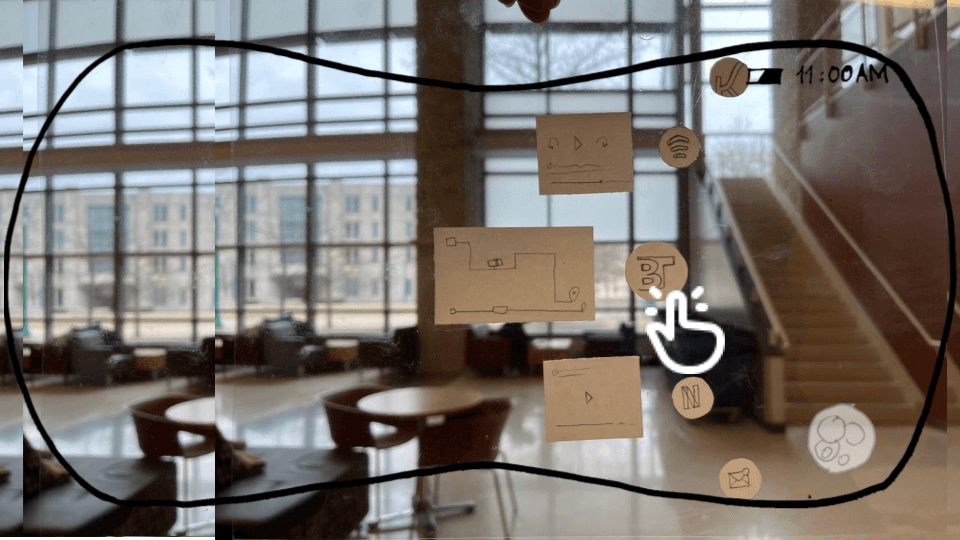
The user interacts with the app dock with a pointed finger to scroll across the options and double taps on the Bloomington Transit App to select it.
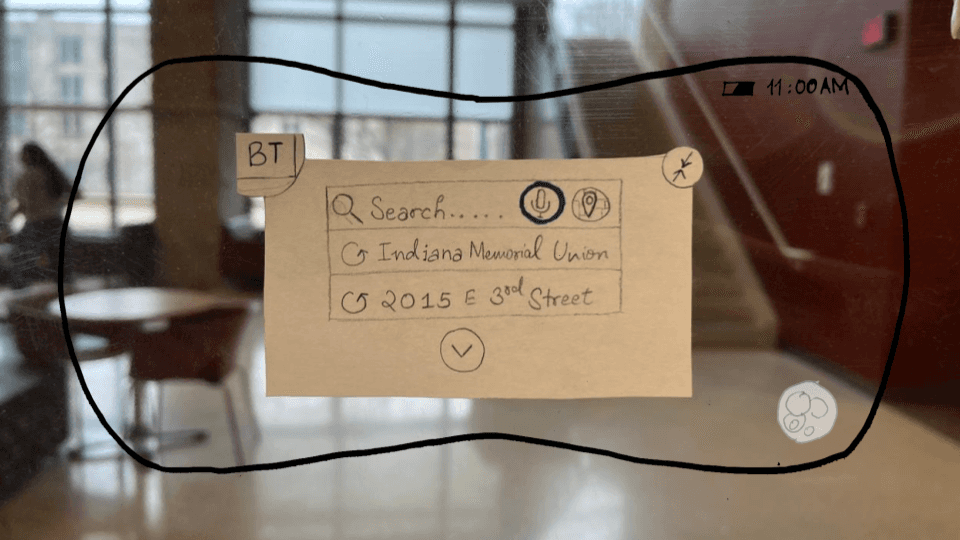
The app opens to a search field with previously booked destinations listed for suggestions. Here they have an option to input a location using voice or manually pin the exact location for their pick-up on a map.
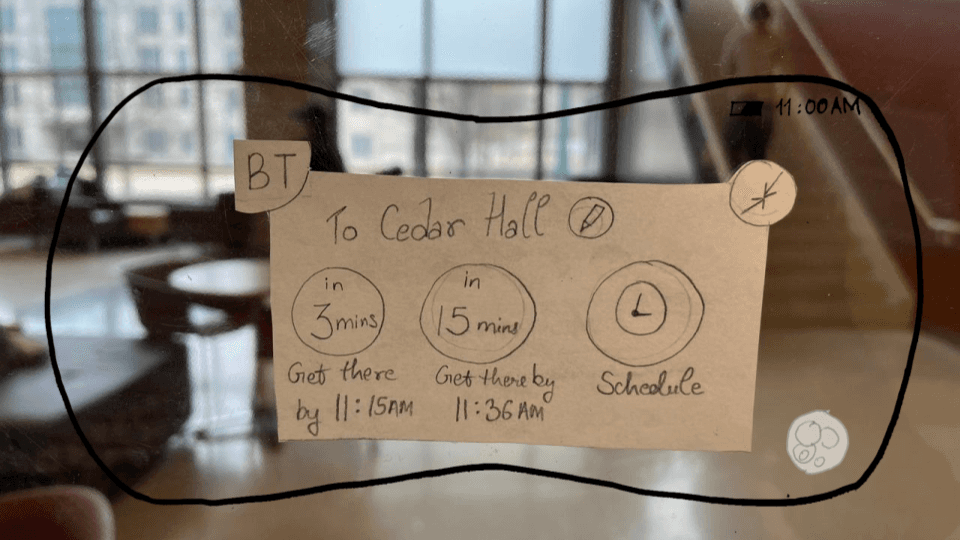
After inputting their location, the app suggests 3 options for them that will catch an appropriate bus and drop them off at suggested times. They also have an option to schedule a ride in advance. In this example, the user can use voice or finger gestures to select “in 3 mins”.
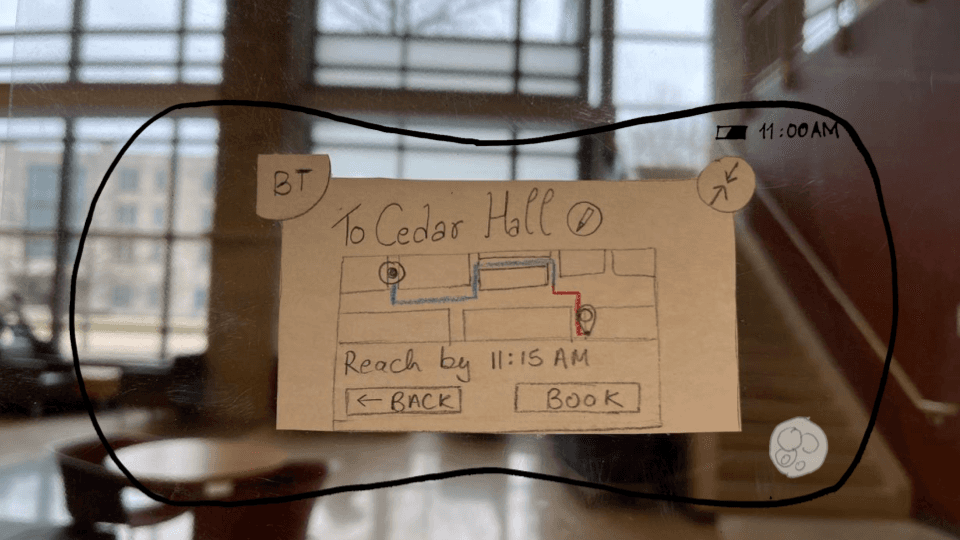
After selecting an appropriate time, the user will get a view of the upcoming journey. They’ll be able to see paths that will be traveled by the pod and the rest of the journey that will be covered by the bus. Here, the user confirms the ride by selecting “Book” using voice or finger gestures.
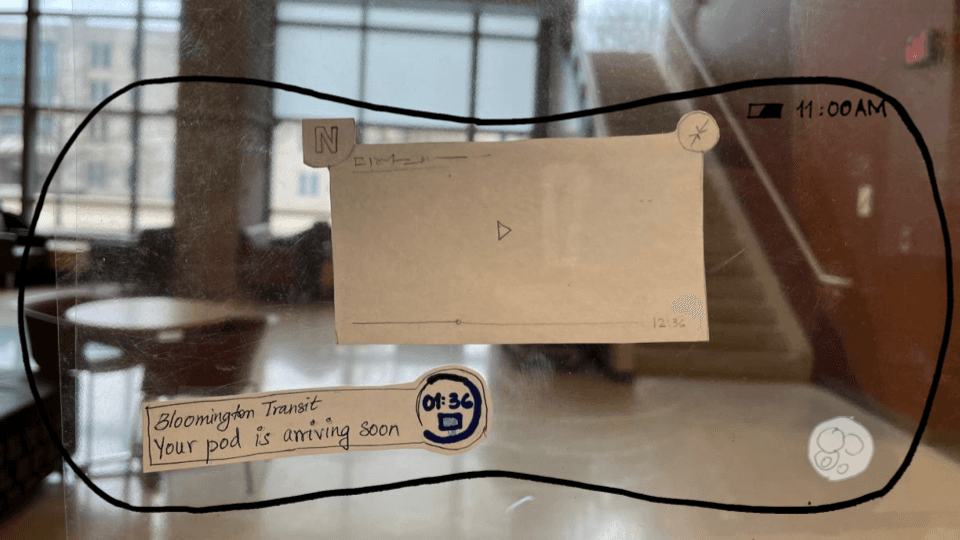
The user gets notified of the pod's arrival.
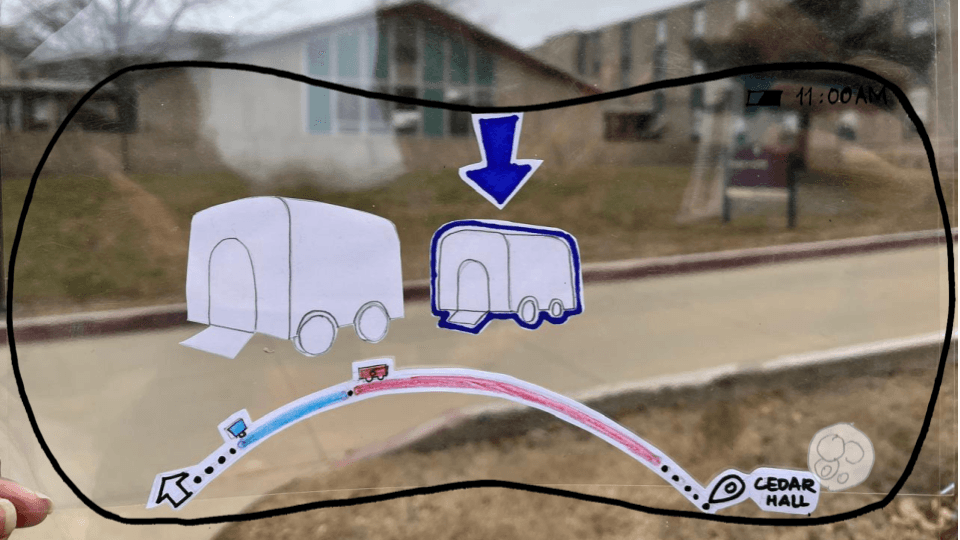
When the pod arrives to pick up the user, the app will display an arrow and highlight the designated pod with a border to prevent the user from boarding the wrong one. The journey progress bar at the bottom provides an overview of the entire trip which ensures the user stays informed about their trip.
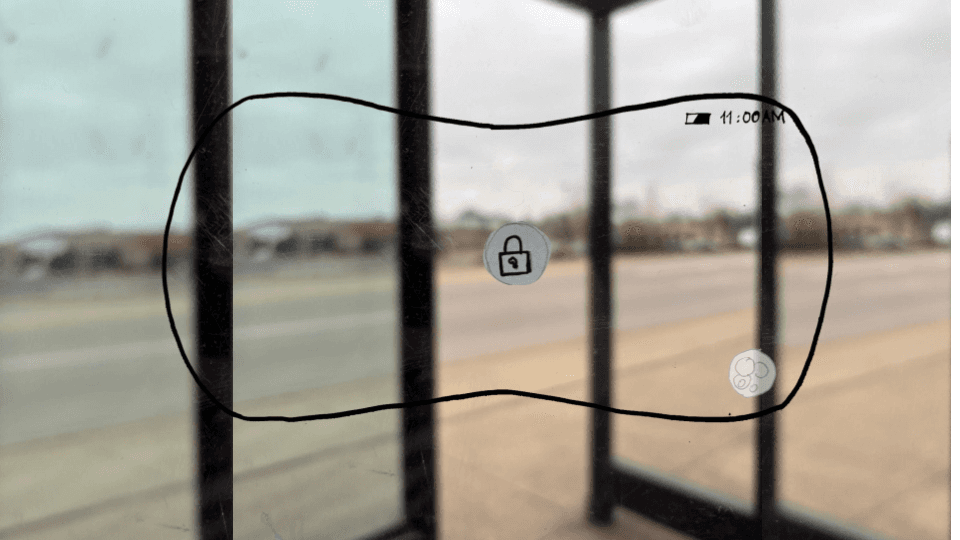
Once the user boards on the pod, a lock icon will appear on the door, indicating that the first phase of the ride has started.
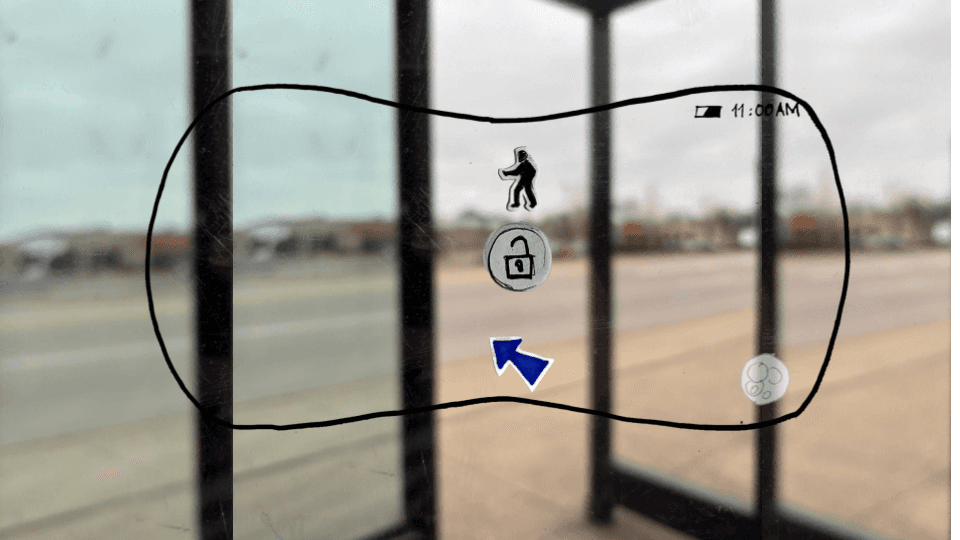
When the pod arrives at the transit point to connect with the bus, the lock icon will change to an unlocked state, which signals to the user that it is time to transfer. The app will also display a person’s silhouette with an arrow that prompts the user to stand up and transfer to the bus.
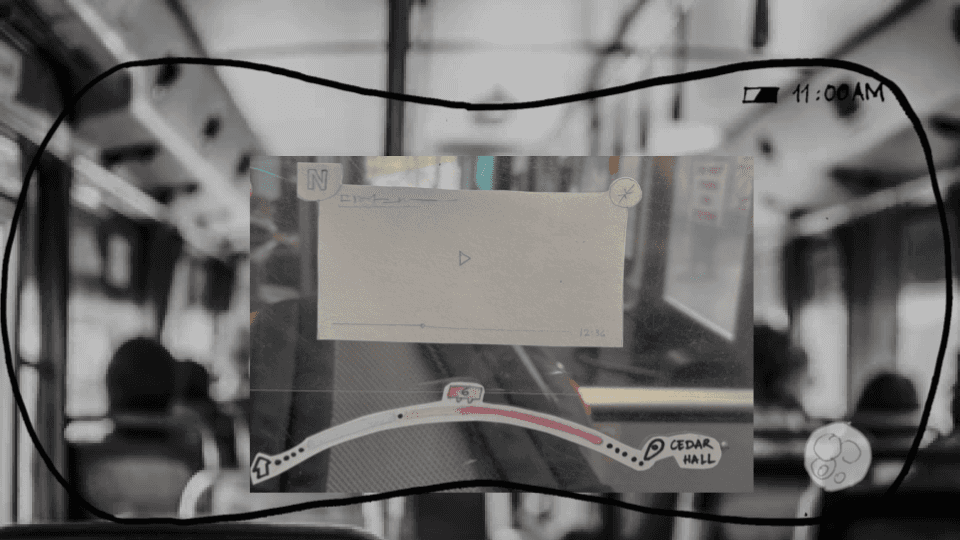
After successfully boarding the bus, the user can swipe up the streaming platform from the app dock to resume watching videos. Meanwhile, the journey progress bar stays visible on the screen, with the remaining trip highlighted in a solid color.
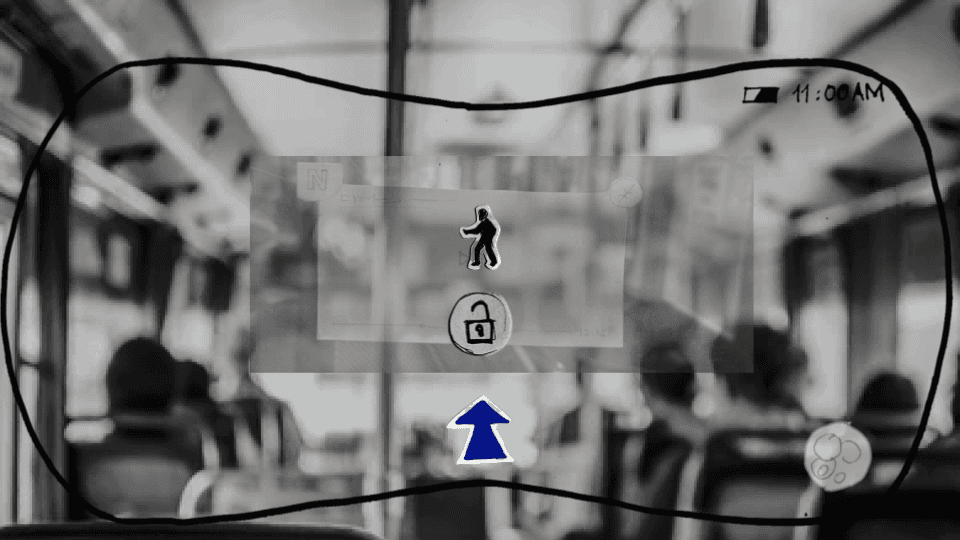
Similar to exiting the pod, when the bus reaches the destination, the app will show an unlocked door icon, an exit illustration, and a directional arrow to guide the user to get off the bus.

After getting off, the app will also display an arrow to indicate the exact location of the final destination. This marks the completion of the journey.